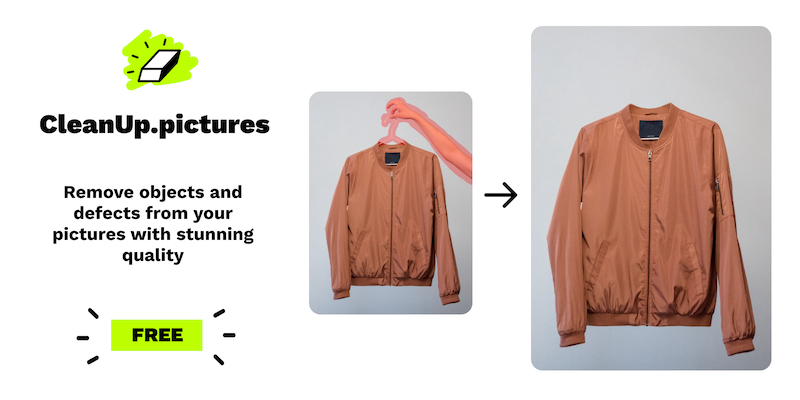
Cleanup.pictures
Remove objects, people, text and defects from any picture for free
Key Features
-
●
AI-Powered Inpainting : Automatically fills in removed areas
-
●
Background Removal : Isolate and extract the main subject
-
●
Text/Logo Removal : Erase unwanted text and branding
-
●
Image Resizing : Adjust dimensions without quality loss
-
●
Batch Processing : Apply edits to multiple images at once
Pros
- ✓Free to use
- ✓Cloud-based for easy access
- ✓Intuitive user interface
- ✓Fast processing times
- ✓Supports common image formats
- ✓Frequent updates and improvements
Cons
- ✗Limited to basic image editing
- ✗Some features may require paid plan
- ✗No advanced editing tools
- ✗Quality can vary for complex images
Who is using Cleanup.pictures?
-
●
Freelance Designers : Quick image touch-ups and cleanup
-
●
Small Businesses : Prepare product images for e-commerce
-
●
Bloggers and Content Creators : Enhance visuals for posts and articles
-
●
Individuals : Remove unwanted elements from personal photos
Use Cases
- →Removing unwanted objects or people from photos
- →Cleaning up image backgrounds
- →Repairing damaged or defective images
- →Prepping product images for online sales
Pricing
-
●
Free Tier : Basic image editing tools
-
●
Pro Plan : $9.99/month, unlocks advanced features and higher resolution
-
●
Enterprise : Custom pricing for teams and businesses
Pricing details may not be up to date. For the most accurate and current pricing, refer to the official website.
What Makes Cleanup.pictures Unique?
Cleanup.pictures stands out with its powerful AI-driven inpainting capabilities, allowing users to seamlessly remove and replace objects, people, and text from images. The tool's intuitive interface and fast processing times make it an attractive option for quick photo touch-ups and cleanup tasks, particularly for freelancers, small businesses, and content creators.
How We Rated It
Cleanup.pictures delivers a strong overall performance, with high marks for its accuracy, ease of use, and functionality. While the free tier is limited, the paid Pro plan offers excellent value for the advanced features and capabilities. The tool's AI-powered inpainting sets it apart from many basic image editors, making it a versatile choice for a wide range of image cleanup and enhancement needs.
-
Accuracy and Reliability 4.5/5
-
Ease of Use 4.6/5
-
Functionality and Features 4.8/5
-
Performance and Speed 4.5/5
-
Customer Support 4.0/5
-
Value for Money 4.3/5